The Smartest iPhone Photo Cleaner App
The smart photo cleaner for iPhone. Instantly delete duplicates, clear old screenshots, and free up gigabytes of space — all with a simple swipe.
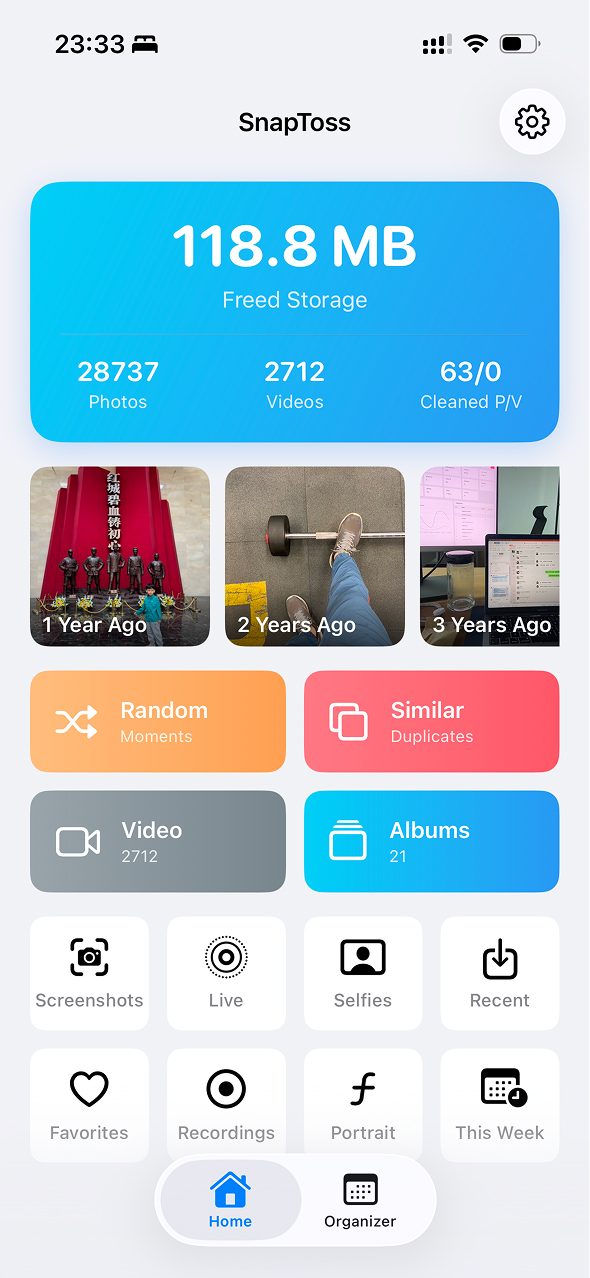
The smart photo cleaner for iPhone. Instantly delete duplicates, clear old screenshots, and free up gigabytes of space — all with a simple swipe.
Everything you need to keep your iPhone photo library clean, organized, and meaningful.
Automatically detect and remove identical photos taking up your iPhone storage. Free up gigabytes in minutes.
Travel back in time and rediscover what happened on this day in previous years. Relive your best moments.
Group similar shots together and pick the best one with a swipe. The easiest way to organize your memories.
Quickly find and remove large video files eating up your storage. Reclaim massive space with one tap.
All photo processing happens locally on your device. SnapToss never uploads your photos to any server.
Organize photos by date and track your cleanup progress. See exactly how much space you've saved and how tidy your library has become.
See why SnapToss is the safest and fastest choice for keeping your photo library clean.
| Feature | SnapToss | Default Photos App | Other Cloud Cleaners |
|---|---|---|---|
| 100% Local Processing (Offline) | (Data uploaded) | ||
| No Account Required | |||
| Finds "Similar" Burst Photos | (Exact matches only) | ||
| Swipe to Delete Photos | |||
| Random Photo Browse | |||
| Waterfall Photo Grid | |||
| Organize by Date & Progress Tracking | |||
| Large Video Detection | |||
| Guaranteed Data Privacy | (Privacy risks) |
Choose the plan that's right for you. Start for free, upgrade when you need more.
See what people are saying about SnapToss.
"I freed up over 10GB of space in just a few minutes. The 'Similar Photos' feature is a lifesaver for picking the best shot!"
"I love how easy it is to clean up large videos. The interface is so smooth and intuitive, it makes organizing my gallery actually fun."
"Finally, a photo cleaner that doesn't upload my photos to the cloud. Privacy is key for me, and SnapToss respects that."
Got questions? We've got answers.
Yes, SnapToss is designed specifically for privacy. It uses 100% local, on-device processing. This means all your photos are scanned and analyzed securely on your own iPhone. We never upload, collect, or access your photos, ensuring zero risk of data leaks.
SnapToss offers a generous free version. You can download it for free from the App Store and use core features like duplicate detection and screenshot cleanup. It even provides 3 random browses per day and a quota of 100 free photo deletions to help you get started without any cost.
While the default Photos app only finds exact duplicate images, SnapToss uses advanced visual matching algorithms to detect "similar" photos—like multiple burst shots of the same scene, blurry photos, and near-identical copies. It groups them together so you can easily swipe and pick the best one.
No, you do not need an account. SnapToss requires absolutely zero registration or login. You simply download the app, open it, and start cleaning your camera roll immediately. We built it this way to respect your privacy and save you time.
Yes! Any photo or video deleted through SnapToss is securely moved to the "Recently Deleted" album in your iPhone's default Photos app. They remain there and are fully recoverable for 30 days before being permanently erased.
Expert tips to master your iPhone storage and keep your gallery organized.
iPhone storage full but don't want to delete apps? Discover the best ways to free up space without uninstalling your favorites.
Read Article → Storage TipsIs "System Data" eating up all your iPhone storage? Learn what it is and how to clear it effectively.
Read Article → Photo ManagementTired of a cluttered camera roll? Learn the safest ways to find and delete duplicate photos without risking your privacy.
Read Article →